
Video content management software: What it does and how to choose
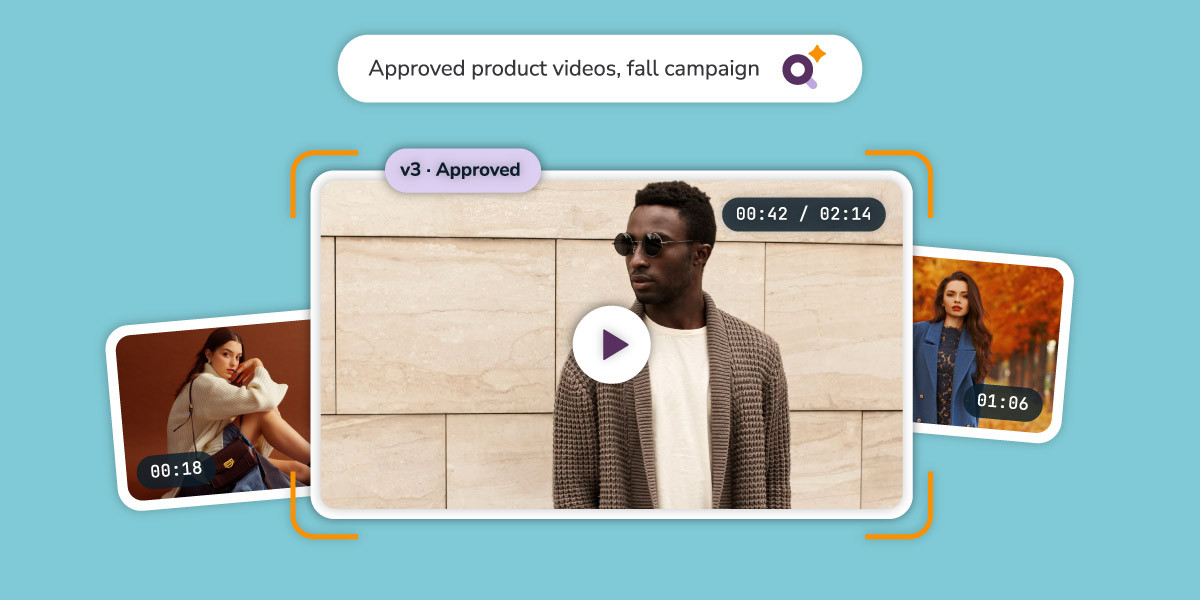
Video content management software stores, organizes, secures, and distributes video files from one searchable library. It gives teams a single place to find approved footage, control who can use it, and deliver finished videos to every channel. For marketing and content teams, the right platform replaces scattered drives, email attachments, and version confusion with one governed source of truth.
This guide explains what it does, how it differs from video hosting, a web CMS, and digital asset management (DAM), and what to look for when you evaluate video content management solutions.
Why video content management matters
Video is the heaviest, most complicated asset type most marketing teams handle. A single campaign can produce raw footage, rough cuts, final edits, social cutdowns, captions, and thumbnails. Multiply that across products, regions, and agencies, and the library gets out of hand fast.
Without a system, the same problems show up again and again:
- Lost footage: Teams can’t find the right clip, so they reshoot or recreate it
- Version confusion: Editors and stakeholders work from outdated cuts
- Slow reviews: Feedback lives in email threads, chat messages, and comment docs
- Brand and rights risk: Unapproved or expired videos stay in circulation
- Request and overload: Creative teams become the help desk for every trim, resize, and download
The right platform addresses these problems by putting storage, search, access, and delivery in one place.
Core features of video content management software
Most tools share a common feature set. The difference between tools is how deep each feature goes and who it’s built to serve.
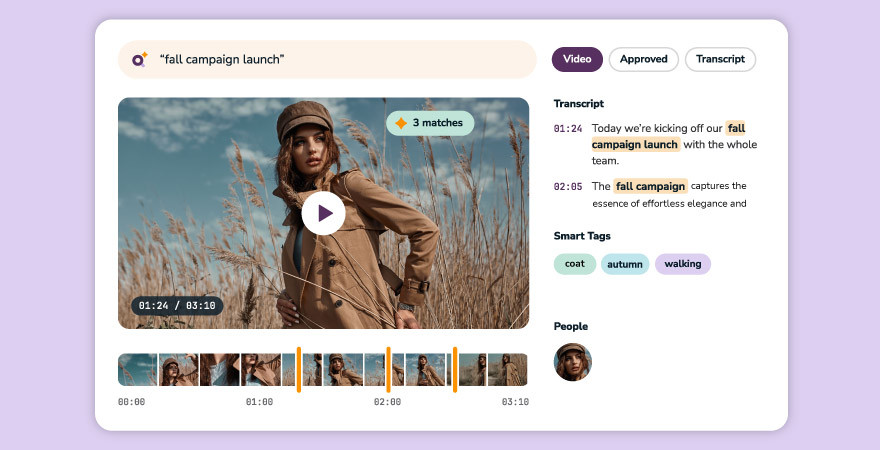
Searchable libraries: Video can’t be skimmed like a document, so search quality matters most. Look for AI-generated tags, automatic transcripts, and facial recognition, so a marketer can find a soundbite or a person without scrubbing through hours of footage. Strong video metadata underpins all of it.
Access control and security: Role-based permissions, single sign-on, and external sharing controls keep sensitive footage in the right hands. Digital rights management protects licensed or time-limited content.
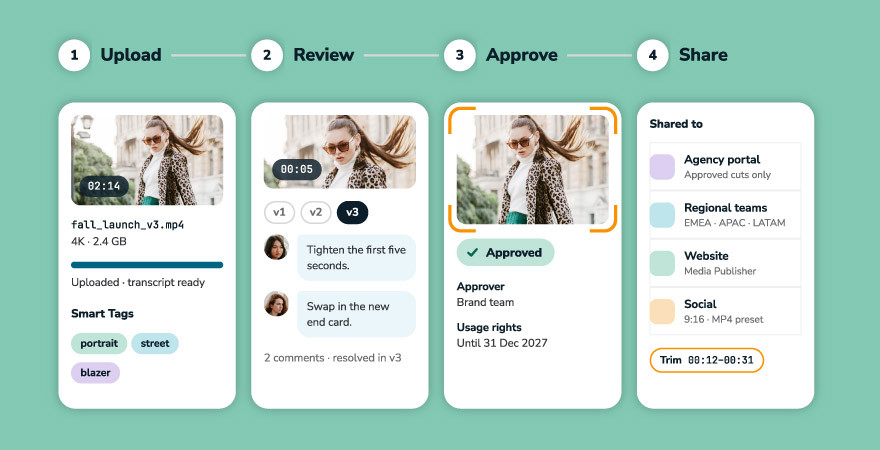
Version control and approvals: Video goes through rounds of feedback. Software that tracks versions and centralizes review keeps everyone working from the approved cut.
Format handling and delivery: Video arrives in many file types and has to leave in many sizes. Look for format conversion, download presets, and automated publishing to sites and stores.
Analytics: Usage data shows which videos teams download and reuse, so you can justify production spend and retire content nobody touches.
Integrations: Connections to editing tools such as Adobe Premiere Pro and After Effects keep editors in their workflow while assets stay organized.
Video content management software vs. DAM vs. video hosting vs. web CMS
Four kinds of tools show up in this search, and they solve different problems. Buyers often compare them as if they were interchangeable, which leads to the wrong purchase.
| Tool type | Built for | Strongest at | Where it falls short |
|---|---|---|---|
| Video hosting platform | Publishing and streaming videos to an audience | Playback, embeds, viewer analytics | Limited governance, approvals, and brand control |
| Enterprise video platform | Internal training, events, and communications | Secure streaming, LMS, and intranet integrations | Less focus on creative production and brand asset reuse |
| Web CMS with video support | Publishing videos on a website | Embedding and page-level management | Few AI, automation, and library-management features |
| DAM with video support | Managing video alongside every other brand asset | Search, governance, approvals, and cross-team reuse | Not a live-streaming or webinar tool |
The deciding question is what you’re managing the video for. If the goal is streaming training content to employees, an enterprise video platform may fit. If the goal is a governed library of brand video that marketing, sales, e-commerce, and agencies reuse, a DAM built to handle video is usually the better match. For a deeper look at the specialized end of the spectrum, see how DAM compares to MAM.
What video content management looks like at scale
Once a video library passes a few hundred files, storage stops being the hard part and governance takes center stage. These are the content operations habits that separate a tidy library from a messy one.
Approval workflows: Route every video through one review process, with feedback in one place. For example, Canto Approval Hub gives video teams and stakeholders a single space to share, revise, and approve video projects, so fewer rounds are lost to email.
Brand consistency: One approved library means every team pulls from the same cuts That prevents outdated or off-brand versions from reaching customers.
Cross-team reuse: The more people who can safely find and reuse a video, the more value each shoot delivers. Self-service tools matter here. In Canto, non-creatives can trim clips on demand and download in the format they need, without a request to the video team.
Controlled external sharing: Agencies, partners, and regional teams need access to approved files, not the whole library. Canto Portals and granular permissions provide that access without IT tickets.
Lifecycle management: Videos expire, licenses lapse, and campaigns end. A managed library tracks usage rights and makes it easy to retire content.
How to evaluate video content management solutions
Use these criteria to compare video content management solutions, and weigh them against how your team actually works.
- Start with your use case. Internal training, external marketing, and brand asset reuse call for different tools. Write down who needs the videos and what they do with them before you look at vendors.
- Test search with your own footage. Upload a sample and see whether AI tags, transcripts, and facial recognition find what you need.
- Check governance depth. Ask how approvals, version control, permissions, and rights management work, and who can configure them.
- Look at delivery. Confirm how videos reach your website, e-commerce store, and social channels, and what formats the system handles.
- Understand the full cost. Pricing usually depends on storage volume, user count, add-on modules, and integrations. Ask for a quote based on your real library size and growth, not a headline number.
- Plan the migration. Find out how the vendor moves existing files, metadata, and folder structures, and what support is included.
- Ask about video and everything else. If marketing also manages images, documents, and design files, one platform for all assets avoids running two systems.
How Canto handles video content management
Canto DAM handles video natively, alongside images, documents, and design files. Teams can store and organize video in one library, find it with Canto AI Visual Search, Smart Tags, and automatic transcription, and share it through Portals.
Built-in tools cover the workflow around the file as well. Version control and approvals keep stakeholders aligned, on-demand trimming lets non-creatives grab a clip without a request, and Canto Media Publisher delivers approved media to sites and stores. For teams that want to see the full approach to the specialized end of the category, this video asset management glossary covers platform types and features in more depth.
Best practices for getting started
- Audit your current video library. List where videos live today, who owns them, and which ones are still in use.
- Define a naming and tagging standard. Agree on a controlled vocabulary and taxonomy before you upload, so search works from day one.
- Set roles and permissions. Decide who can upload, approve, download, and share externally.
- Migrate in phases. Start with active campaign vidoe, then move archives.
- Measure reuse. Track downloads and shares to see which videos earn their keep.
Get your video library under control
See how Canto helps marketing teams organize, approve, and share video from one library. Request a demo.
Frequently asked questions
What is video content management software?
Video content management software is a system that stores, organizes, secures, and distributes video files from a central library. It typically includes search, access controls, version tracking, and delivery tools.
What is a video content management solution?
A video content management solution is the software, and often the workflows and services around it, that a team uses to manage its video library. Some solutions focus on streaming and hosting, while others, such as a DAM, focus on governance and reuse across teams.
What is the best video content management software?
The best option depends on your use case. Teams streaming training and events often look at enterprise video platforms. Marketing and brand teams that need a governed library of approved video, along with images and documents, usually get more from a digital asset management (DAM) platform that handles video natively.
How is video content management different from a DAM?
Video content management tools focus on video. A DAM manages every asset type, including video, images, documents, and design files, and adds brand governance and cross-team workflows. A DAM with strong video support gives you both.
Can video content management software improve video SEO?
It can help. Consistent metadata, titles, descriptions, and transcripts make videos easier to index and find. Managing that information in one library keeps it accurate across channels.