
Why brand portals aren’t convenient: they’re essential
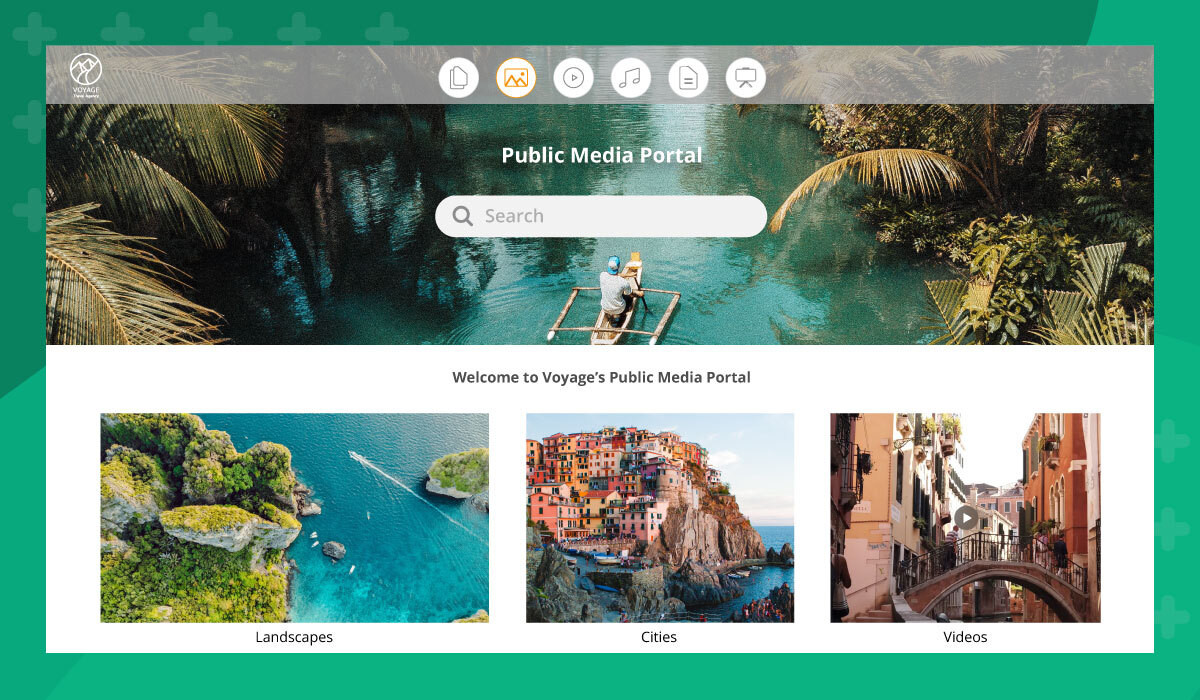
Managing brand assets across multiple departments, partners, and platforms can quickly become chaotic. Without a centralized system, it’s easy for teams to waste time searching for the right logo, sending outdated content, or responding to endless email requests. That’s where a brand portal comes in.
Whether you’re running a large marketing team, collaborating with external partners, or supporting sales across regions, a brand portal simplifies how you organize, share, and protect your digital assets. It acts as your branded command center; a secure, easy-to-use space for everything related to your company.
In this guide, we’ll cover what a brand portal is, how it works, and how your business can benefit from using one. We’ll also explain how portals differ from full digital asset management (DAM) platforms, which use cases they’re best suited for, and how to choose the right software for your team.
What is a brand portal?
A brand portal (also referred to as a branding portal or brand management portal) is a flexible work area within a DAM platform that gives users access to your organization’s digital content. It’s a window into your digital content where users can securely browse, search, and download approved brand materials.
This could include:
- Logos and icons
- Product images and videos
- Brand guidelines
- Brochures and sales decks
- Social media templates
- Press kits
To illustrate: a journalist writing about your company shouldn’t have to email a request and wait for someone on your team to respond. With a brand portal, they can find exactly what they need on their own, any time. It’s self-service, secure, and saves everyone time.
Brand portal vs. DAM: What’s the difference?
A brand portal and a DAM platform are related but serve different purposes.
A DAM platform is your full content operations system. It’s where your team stores, organizes, manages, and publishes assets. It includes user permissions, metadata, version control, workflow automation, and integrations with the tools your team uses every day.
A brand portal is a purpose-built view within that system. It presents a curated set of approved assets to a specific audience, whether internal or external, without exposing your entire library. Think of it as a controlled, branded window into your DAM.
Most enterprise-grade DAM platforms include portal functionality as part of the platform. Standalone portal tools exist, but they often lack the underlying asset management infrastructure to support version control, rights management, and governance at scale. If brand consistency and access control are priorities, you’re better served by a DAM with native portal functionality than by a disconnected tool.
4 reasons to use a brand portal
1. Faster, smarter sharing with external users
If your marketing or PR team regularly fields requests for assets, a brand portal can dramatically cut down on back-and-forth communication.
Instead of emailing files or granting access to cloud folders, you can direct external users, like journalists, partners, or freelancers, to your partner portal where they can find and download assets themselves.
Branded content hubs:
- Speed up delivery of digital content
- Reduce repetitive requests to your team
- Ensure people always get the most up-to-date versions
Whether you’re distributing content to media outlets or enabling partners in a B2B branded ecommerce portal, a centralized portal builds efficiency and trust.
2. Simplify internal brand operations
Internally, different teams have different needs. Your HR department might need branded letterheads and employee handbook templates. Sales might need the latest product one-pagers and testimonials. But not everyone needs access to everything.
A branding portal allows you to control who sees what, so teams only access the content relevant to their roles. This eliminates confusion, keeps your library organized, and reduces the risk of off-brand materials being used.
Even better, most brand management portals include admin controls so you can:
- Set permissions by department or user role
- See who’s downloaded what and when
- Keep older versions archived but accessible
3. Maintain brand consistency everywhere
Brand consistency isn’t just a nice-to-have, it directly impacts how customers perceive your business. But consistency is hard to maintain when brand materials are scattered across platforms or passed around via email.
A portal for brand assets ensures that everyone is using approved, up-to-date visuals and messaging. It also prevents multiple versions of assets from circulating, a common issue for growing brands.
For companies with distributed marketing teams, global offices, or multiple external vendors, having a brand content hub is essential. It keeps everything aligned and reinforces a unified, polished brand presence across all touchpoints.
4. Secure, trackable access
Brand portals give you a level of access control that generic file-sharing tools don’t.
With a brand management portal, you can:
- Monitor downloads and usage
- Set expiration dates for sensitive content
- Add password protection or single sign-on (SSO)
- Enable access restrictions
This level of visibility helps your brand stay protected, especially when you’re dealing with embargoed assets, licensed photography, or campaign materials not meant for general distribution.
Brand portal use cases
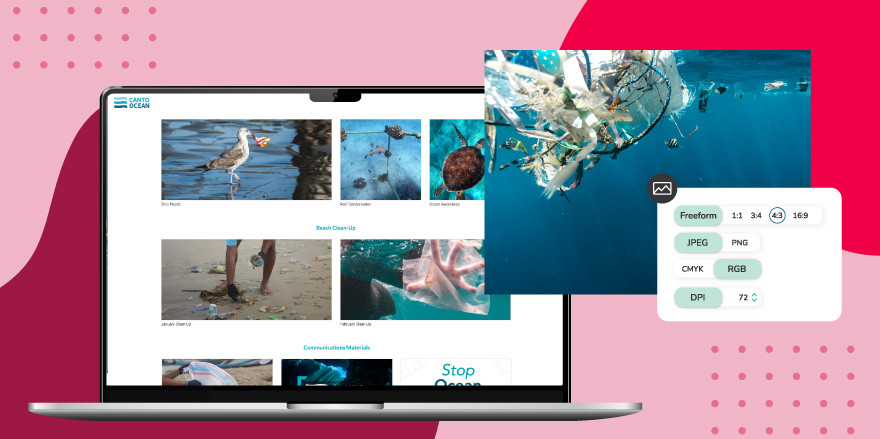
A brand portal can be used for many different needs, whether you’re working with global teams, external partners, or e-commerce distributors. Let’s take a closer look at some real-world brand portal use cases and how each one serves a specific purpose within a larger brand strategy.
Partner portal
A partner portal is designed for external business partners, like agencies and affiliate marketers, who need easy access to branded materials. By centralizing logos, product specs, banners, and promotional content, you reduce friction in your partnership and ensure that brand integrity is maintained across channels.
It’s also useful for onboarding new partners. Rather than sending out a series of onboarding emails or scattered files, everything they need is housed in one secure, branded location.
For Decibullz, a two-brand manufacturer, portals solved a brand consistency problem across a distributed vendor and partner network. “It’s been great to share with the team, also to our vendors and partners to allow for brand consistency to shine,” their team said. Sales reps and partners access current, approved assets on demand, keeping the brand aligned without routing every request through a single designer.
Brand asset portal
This use case focuses on providing internal and external users with access to your official brand assets, logos, typefaces, color codes, iconography, and more. A brand asset portal acts as a style guide in action. Instead of emailing PDFs or hunting through folders, users can view and download assets directly from the portal, knowing they’re always using the latest versions.
The Aquarium of the Pacific uses brand portals to do exactly this. “We have made extensive use of portals to help control the assets that an end user sees, as well as approval statuses to help them understand how they can be used,” their team noted. The result: major time savings through centralization and searchability, with no ambiguity about which assets are approved for use.
Brand content hub
A brand content hub is broader than an asset library. It includes everything from blog content and social media visuals to video libraries, campaign kits, and messaging guidelines. It’s particularly helpful for global organizations with many content creators who need access to editorial materials and branded multimedia in one place.
Branded client portal
For agencies, freelancers, or service-based businesses, a branded client portal gives clients direct access to project files, reports, deliverables, and resources; all within a branded environment that reflects your business identity.
It not only looks professional but also improves client satisfaction by making it easier to find and retrieve important content. Clients won’t need to dig through email threads or ask for access; they’ll know exactly where to go.
B2B distribution portal
A B2B distribution portal is designed for companies that supply distributors or retail partners. In addition to product catalogs and order forms, these portals include brand-approved marketing materials like packaging mockups, signage templates, and sales tools.
Who should use a brand portal?
You don’t have to be a massive enterprise to benefit from a portal. Businesses of all sizes — from startups to global brands — use brand portals to improve content sharing, collaboration, and consistency.
If your team:
- Manages digital content across channels
- Works with outside partners or media
- Struggles to keep track of asset versions
- Needs a better way to manage brand guidelines
…a brand portal can help!
Teams in marketing, sales, creative, HR, and communications all benefit from having a centralized, user-friendly system for accessing and distributing content.
How to choose brand portal software
Choosing the right brand portal software means thinking beyond the feature list. The best option depends on your existing infrastructure, the volume and type of assets you manage, your external-partner workflows, and how much control you need over access and permissions.
Here’s what to evaluate:
Infrastructure and integration
Standalone portal tools can work for simple use cases, but if you need version control, metadata, rights management, and workflow automation, you’ll need a DAM platform with native portal functionality. Look for integrations with your creative tools, including Adobe Creative Cloud, Canva, and Figma, as well as the distribution channels and storefronts your team publishes to.
Access control and governance
Enterprise-grade portal solutions offer role-based permissions, SSO, expiration dates, and download tracking. Verify that the platform can handle both internal and external audiences at the access-control level your organization needs.
Customization
Your portal should reflect your brand, not the software vendor’s. Look for platforms that support custom domains, branded interfaces, and tailored navigation so users feel like they’re interacting with your company, not a third-party tool.
Scalability
As your business grows, so will your content library and the number of portals you need. Some platforms charge per portal; others include unlimited portals as part of the platform. Understand the cost model before committing.
Analytics and reporting
Download tracking, user activity reports, and asset-level analytics help you understand how your content is being used and identify assets that may be outdated or underperforming.
Implementation and support
Ask about onboarding timelines, migration support, and customer success resources. A platform with strong implementation support gets you to value faster.
Implementation checklist: Getting your brand portal live
Before you launch, work through these steps:
- Audit your existing assets. Identify what you have, what’s current, and what needs to be retired before the portal goes live.
- Define your audiences. Who will access this portal? External partners, journalists, internal teams? Each audience may need its own portal or permission tier.
- Establish governance. Decide who owns the portal, who can update it, and how often content will be reviewed for accuracy and relevance.
- Configure access controls. Set up SSO, role-based permissions, and any expiration rules for time-sensitive content.
- Curate, don’t dump. A portal should surface the right assets, not every asset. Prioritize relevance and freshness over volume.
- Apply your branding. Set your domain, logo, colors, and navigation. The portal should feel like an extension of your website, not a generic file browser.
- Test with real users. Before you go live, walk external users through the portal. Confirm that access controls work as expected and the search experience is intuitive.
- Train your internal team. Make sure the team responsible for the portal knows how to add, update, and archive content.
What does a Canto brand portal look like?
Canto Portals let you build and publish unlimited, customized portals directly from your Canto library. Each portal can be tailored to a specific audience, with its own branding, navigation, and asset curation, without creating a separate content library to manage.
For example, a global consumer brand might use one portal for its PR team with press-ready photography and media kits, a second for retail partners with co-branded marketing materials and packaging specifications, and a third for internal creative teams with full access to approved templates. Each portal pulls from the same governed asset library, so every version status and rights flag stays current across all of them.
Portals are included in Canto at no additional cost, with no limit on how many you create.
Unlimited portals. Unlimited benefits. Only with Canto
A brand portal isn’t just a convenience, it’s a strategic advantage. Canto DAM makes it easy to create and manage unlimited brand portals; no extra cost, no limits. As a long-time DAM industry leader, Canto gives brands the power to organize, manage, search, and share their assets efficiently and securely.
Want to see Canto Portals in action? Book a customized demo or take a product tour.