Glossary
What is watermarking? Definition, examples, and best practices
A watermark is a visible or invisible marker applied to a digital asset, such as an image, video, or document, to indicate ownership, deter unauthorized use, or control how a file can be shared before it has been formally approved. The term comes from traditional paper manufacturing, where a faint design pressed into paper during production identified the maker. In digital contexts, a watermark serves the same basic purpose: it ties an asset back to its source.
Why watermarking matters for brand protection
When teams share assets outside their organization, whether with partners, distributors, press, or agencies, they lose direct control over how those files are used. A file sent for review can end up in a campaign, presentation, or social post before it’s been approved, is correctly licensed, or reflects the current brand.
Watermarking is one of the most practical tools for managing that risk. A visible watermark makes the status of an asset immediately clear to anyone who receives it, and it creates a deterrent against unauthorized use. Even if the file leaves the system it was shared from, the mark travels with it.
For organizations managing large volumes of brand assets across multiple teams and external partners, watermarking adds a layer of visibility and accountability that metadata and access controls alone can’t provide.
Types of watermarks
Watermarks are not all the same. The right type depends on what you need to communicate and how much protection you need.
| Type | Description | Best for |
|---|---|---|
| Visible logo watermark | A company logo or brand mark placed semi-transparently over an image or video. Visible to anyone who views the file. | Press kits, stock photography, partner asset portals |
| Text-based watermark | A status label like “DRAFT,” “PROOF,” or “NOT FOR DISTRIBUTION” overlaid across an asset. | Review cycles where asset status needs to be immediately clear |
| Diagonal or tiles watermark | A logo or text pattern repeated across the full image rather than placed in a single corner. Harder to crop out than a corner mark. | High-value imagery shared with external parties where stronger deterrence is a priority |
| Invisible (digital) watermark | A marker embedded in the file’s data, undetectable to the human eye but readable by specialized software. Survives edits, compression, and resizing. | Broadcast media, forensic tracking, and stock photography where ownership proof and distribution tracking matter more than visual deterrence |
Image watermarking
Image watermarking is the practice of applying a visible or invisible marker directly to a digital image to indicate ownership, signal approval status, or restrict how the file can be used before it has been formally licensed or released.
It’s one of the most common applications of watermarking in marketing and creative workflows. Photographers watermark portfolio images before a client has purchased a license. Creative teams add “PROOF” or “NOT FOR DISTRIBUTION” overlays to campaign imagery shared for review. Stock libraries display watermarked previews so buyers can evaluate content without accessing a usable file.
In a digital asset management (DAM) platform, image watermarking can be automated based on user role or destination portal, so images shared with Consumer-level users carry a watermark by default while credentialed users access the clean original.

Watermarking examples
Seeing where watermarks appear in real workflows makes the concept easier to apply.
Draft review
A creative team shares campaign images with a client for feedback. The assets carry a semi-transparent “PROOF” overlay. The client can evaluate the work without the files being usable in production.
Press and media portals
A brand shares a portal with journalists ahead of a product launch. High-resolution images are available to preview, but each carries a watermark until the embargo lifts and approved files are released.
Partner distribution
A manufacturer shares product imagery with regional distributors through a DAM portal. Watermarked previews let partners plan layouts and presentations without accessing production-ready files before contracts are in place.
Stock photography
Most stock image sites display a watermarked version of every image in search results. Purchasing a license grants access to the unwatermarked file.
Internal approval workflows
Assets moving through a review and approval process can carry a watermark at each stage to make it clear which version is current and whether it has been approved for external use.
E-commerce and retail
Retailers and CPG brands sharing product images across distributor networks use watermarks to ensure only approved, licensed assets reach storefronts and partner channels.
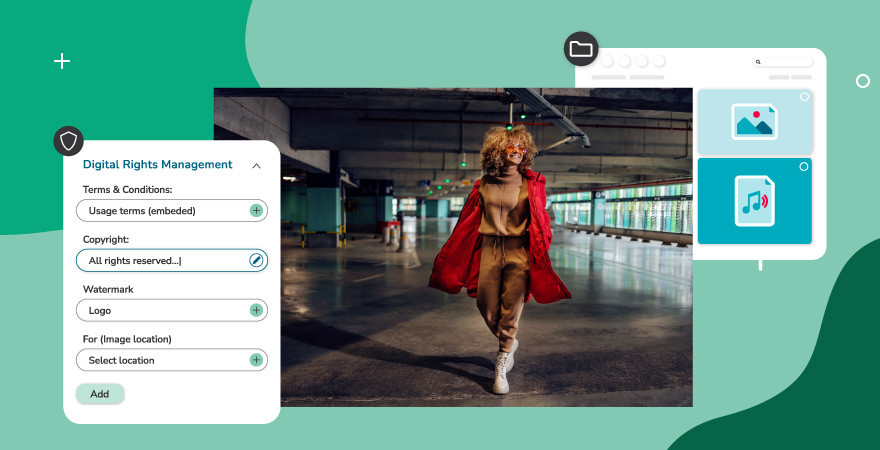
Watermarking and digital rights management
Watermarking is one layer within a broader digital rights management (DRM) strategy. DRM encompasses all the tools and rules an organization uses to control who can access, download, share, and use digital assets. Watermarking handles the visual deterrence side. Other controls handle access and permission at the system level.
A complete approach typically combines several elements: watermarks on previews visible to external or lower-permission users, role-based permissions that determine who can download the original file, download restrictions that prevent consumers from accessing a high-resolution version, and expiry dates on time-sensitive licensed content.
Watermarking alone does not encrypt a file or block a download. Someone determined to remove a visible watermark can attempt to crop or clone it out. But paired with the right access controls and approval workflows, watermarking significantly reduces the risk of assets being used before they’re ready or outside the terms of a license.
Watermarking best practices
How you apply a watermark matters as much as whether you apply one.
Coverage
A watermark placed only in the corner of an image is easier to crop out. For stronger deterrence, a tiled or diagonal watermark covering more of the image surface is harder to remove cleanly without damaging the asset.
Opacity
A watermark that’s too faint doesn’t register as a deterrent. One that’s too opaque makes the asset difficult to evaluate. Aim for a balance where the content of the image is still visible for review purposes, but the watermark is clearly present.
Differentiate by audience
Not every audience needs the same watermark. A press portal and an internal review workflow may call for different marks, or different placements, based on what you need the watermark to communicate and to whom.
Keep it consistent
Using the same watermark across all shared previews builds recognition. Teams and partners learn quickly what a watermarked asset means and act accordingly.
Automate where possible
Manually applying watermarks at scale is error-prone. A DAM platform that applies watermarks automatically based on user role or portal destination removes the risk of assets going out unprotected.
Who uses watermarking
Watermarking is relevant across a wide range of teams and industries.
Marketing and creative teams use watermarks to protect work-in-progress assets during review cycles, preventing drafts from reaching audiences before they’re ready.
Legal and compliance teams apply watermarks to confidential documents and licensed content to make usage restrictions explicit and to create a paper trail if a file is misused. Understanding intellectual property law is an important part of building that strategy.
Media and entertainment companies rely on watermarking, often invisible forensic watermarking, to trace the source of leaked content and monitor how assets travel through distribution chains.
Sports organizations managing large libraries of athlete and event photography use watermarks to protect high-value imagery shared with press and sponsors.
Retailers and CPG brands watermark product imagery shared with distributors and channel partners to keep only approved, correctly licensed files in use across storefronts and campaigns, supporting brand consistency at scale.
Agencies managing assets for multiple clients use watermarking to maintain clear ownership across shared libraries and to prevent one client’s assets from being confused with another’s.
How watermarking works in Canto
Canto DAM includes watermarking as part of its Digital Rights Management settings. Administrators can upload image-based watermarks, such as a company logo, or create text-based watermarks and configure their size, position, opacity, and whether they appear diagonally tiled across the image. Different watermarks can be assigned to different locations, including the Main Library and individual Portals, so the mark a distributor sees can differ from the one used internally.
Watermarks in Canto are visible only to Consumer-level users and anonymous visitors to public portals. Users with elevated permissions see the original file. This means teams can share assets broadly for review and evaluation without giving every recipient access to a production-ready, unmarked version.
For organizations managing brand asset management at scale, this kind of role-based watermarking removes a significant manual step and ensures consistent protection across every asset shared outside the organization. To go deeper on building the systems that keep your brand consistent and protected, download the Essential Guide to Brand Management.

Frequently asked questions about watermarking
Can a watermark be removed?
A visible watermark can be cropped, cloned, or edited out by someone with image editing skills, though doing so is time-consuming and often degrades the image. Invisible digital watermarks are significantly harder to remove because they’re embedded in the file data rather than placed on the surface. Neither type prevents a determined actor, which is why watermarking works best alongside download restrictions and role-based access controls rather than as a standalone measure.
Does watermarking affect file quality?
In Canto and most DAM platforms, watermarks are applied to previews and downloads, not to the original stored file. The source asset remains unchanged. When an authorized user downloads the clean file, they receive the full-resolution original without the watermark.
What’s the difference between a watermark and DRM?
A watermark is a visual or embedded marker on an asset. Digital rights management is the broader system of rules and controls governing who can access, use, and distribute an asset. Watermarking is one feature within a DRM strategy, alongside user permissions, download controls, and expiry settings.
What is the difference between visible and invisible watermarking?
A visible watermark is an overlay that anyone viewing the file can see, such as a logo or text across an image. An invisible watermark is encoded into the file’s data and is undetectable without specialized software. Visible watermarks deter casual unauthorized use; invisible watermarks enable ownership tracking and forensic attribution.
What is image watermarking?
Image watermarking is the process of applying a visible or invisible marker to a digital image to indicate ownership, signal approval status, or control how the file is distributed. It is one of the most common applications of watermarking in marketing, photography, and creative workflows.


Start with Canto
Make more of your content.
Bring your assets, teams, and workflows together. See what’s possible with Canto.