Glossary
Brand management software: What it does, what to look for, and how to choose
What is brand management software?
Brand management software is a platform that gives teams a single, governed place to store, access, and distribute brand assets: logos, guidelines, templates, approved imagery, and everything else that defines how a brand looks and communicates.
Unlike general cloud storage, brand management software adds the controls that brand teams actually need: approval workflows, version management, user permissions, integrated style guides, and direct distribution to the channels where content gets used. It is, in practice, a DAM platform purpose-built for brand governance. Visit our guide learn more about digital asset management platforms.
Teams that manage brand assets at scale use brand management software to keep every stakeholder, including internal teams, agencies, partners, and distributors, working from current, approved assets. No more outdated logos in the wild. No more back-and-forth over which version is correct. Just a strong, consistent brand identity.
The brand challenges most teams are still solving manually
Brand teams spend more time enforcing consistency than creating. The reasons are familiar:
- Assets scattered across Dropbox, email threads, local drives, and legacy servers. Nobody knows which version is current.
- External agencies and partners downloading old logos, off-brand templates, or unapproved imagery, and nobody finds out until after something ships.
- Approval bottlenecks that hold up campaigns. One missing sign-off delays everything downstream.
- Style guides published as PDFs that nobody reads, saved in a folder nobody can find.
- Brand audits that happen once a year instead of continuously. By which time the damage is done.
These are operational problems, not creative ones. And they are exactly what brand management software is built to solve.
What to look for in brand management software
Not all brand management solutions are built the same. Before evaluating options, identify which capabilities your team actually needs so you can choose the best tool for brand management:
| Centralized asset library | A single source of truth for every brand asset. Photos, videos, logos, templates, design files, all in one place, tagged, searchable, and accessible to the right people. |
| Integrated style guides | Brand style guides that live inside the platform, not in a PDF no one can find. Interactive guidelines that show teams exactly how to use each asset, and give them access to the approved versions immediately. Style guides often detail brand voice, core values, and messaging in addition to visuals. |
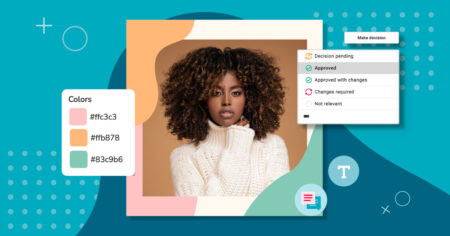
| Approval workflows | Configurable review and sign-off processes that route content to the right stakeholders automatically. Nothing goes out without clearance. |
| Version control | Automatic version tracking so current assets are always at the front and outdated versions are archived, not deleted, but no longer the default option. |
| User permission | Granular access controls that determine who can view, download, edit, or share each asset. External contributors get access to what they need, and nothing more. |
| Brand portals | Brand portals give specific audiences, including distributors, agencies, retail partners, and regional teams, direct access to curated, current brand assets without needing a full platform account. |
| Digital rights management | License and expiration tracking built into the asset record. Content with expired rights gets flagged automatically so it does not get used past its permitted date. |
| Search | Full-text search, metadata search, and with the right platform, AI-powered visual search that finds assets by color, composition, or visual similarity. Finding an asset should take seconds. |
| Integrations | Direct integrations with the tools your team already uses: Adobe Creative Cloud, Canva, Figma, HubSpot, Salesforce, and others. Assets should follow the workflow, not interrupt it. |
Brand governance: Keeping your brand consistent at scale
Brand governance is the set of processes and controls that ensure every piece of content, regardless of who created it or where it’s going, reflects the brand accurately. The right brand management software makes governance operational, not aspirational.
In practice, this means:
- Brand compliance guidelines that are always current and always accessible, not a PDF from two years ago.
- Approval workflows that catch off-brand content before it reaches an audience.
- Asset expiration controls that pull outdated or unlicensed files from circulation automatically.
- Audit trails that show who accessed, downloaded, or shared any asset.
- Role-based permissions that match asset access to organizational responsibility.
How teams use brand management software
In-house marketing teams
Marketing teams use brand management software as the operational backbone for campaign production: centralizing assets, routing approvals, and distributing final files to every channel from one place. When a campaign launches across social, email, display, and print, every team member pulls from the same approved asset set.
Agencies managing multiple brand accounts
Agencies use brand management tools to keep client assets organized and accessible without the chaos of shared drives or email attachments. Separate workspaces for each client, with permissions that keep each brand’s assets visible only to the people working on that account.
Enterprise brands with distributed teams
Large organizations with regional offices, retail partners, or global distribution networks use brand management software to ensure every location, partner, and third-party contributor works from current brand materials. Brand portals give external audiences direct access to what they need, with no IT tickets and no file transfers.
Product-led brands
Product brands managing high SKU volume across multiple retailers and markets use brand management software to connect product imagery, packaging specs, and campaign assets directly to the channels where they appear. When product lines change, assets update across every destination.
Brand management software that connects to your existing tools
Brand management software works best when it fits into the tools your team already relies on. The right platform connects across creative, marketing, project management, and commerce:
| Creative | Adobe Creative Cloud (Photoshop, Illustrator, InDesign, Premiere Pro, After Effects), Canva, Figma |
| Marketing platforms | HubSpot, Salesforce Marketing Cloud, Mailchimp, Hootsuite |
| Project management | Asana, monday.com, Wrike, Adobe Workfront |
| E-commerce and CMS | Shopify, WordPress, Drupal, Contentstack |
| Productivity | Microsoft 365 (Teams, SharePoint, OneDrive, Office), Google Drive, Slack |
| Developer access | Open API for custom integrations |
When your brand management software connects to your creative tools, assets stay current across every application. Designers pull approved files directly into their workflows. Marketers push approved content to their CMS or marketing platform. Nothing gets lost in a file transfer.
What to expect when implementing brand management software
Choosing and rolling out brand management software is a meaningful decision. Here’s what the process looks like when done well:
Audit your current asset situation
Before selecting a platform, map where your assets currently live: cloud storage, local drives, email, agency servers. Understanding the scope of the problem is the first step to solving it. Most teams are surprised by how fragmented their assets are until they look.
Identify your must-have capabilities
Use the capability list above as a starting point. Not every team needs every feature on day one. Prioritize what will solve the most acute pain: for most brand teams, that is centralized storage, searchable metadata, and user permissions.
Evaluate ease of use honestly
A brand management solution is only useful if people use it. Evaluate the interface for both power users and occasional contributors. An external agency partner accessing a portal should find it as intuitive as a full-time team member using the main library.
Plan your migration
Moving assets from scattered storage to a centralized platform takes planning. A good implementation partner will help you set up folder structures, metadata schemas, and user groups before content migrates, not after. Look for a vendor with a structured onboarding process that handles organizations of every size.
Set governance standards early
The most common implementation mistake is migrating assets without establishing governance: who owns what, who approves what, what expires when. Setting these standards early prevents the same chaos from re-forming inside the new platform.
How to choose brand management software: Eight questions to ask
1. Does pricing include the features you actually need?
Brand management software pricing typically scales by number of users and storage volume. Watch for platforms that charge separately for portals, AI tagging, reporting, and integrations. These are core features, not add-ons. Confirm they are included before you sign.
2. Can you share curated collections with external audiences?
Most teams need to deliver brand assets to audiences beyond the core team: agencies, retail partners, distributors, and event vendors. Look for a brand management solution with flexible portal and share-link functionality that does not require external users to create accounts.
3. How long does it take for a new user to get up to speed?
Brand management software that requires weeks of onboarding rarely achieves full adoption. Evaluate the interface for both daily users and occasional contributors. Can a regional partner access and download what they need without IT support? That is the real usability test.
4. Does it integrate with your creative and marketing stack?
A brand management tool that does not connect to Adobe Creative Cloud, your CMS, or your marketing automation platform creates more work, not less. Confirm which integrations come out of the box and what the API access looks like for custom connections.
5. How does it handle video?
If video is part of your brand asset mix, and it should be, confirm the platform can preview video without exporting, supports basic trim and clip download, and integrates with Premiere Pro or your team’s editing workflow. Not all brand management tools handle video well.
6. Can you configure it to reflect your brand’s structure?
Every organization structures its content differently. Look for customizable metadata fields, folder taxonomies, and branded portal interfaces. Configuration should be a settings adjustment, not a professional services engagement.
7. What does security look like?
Brand assets are valuable IP. Confirm where data is stored, what encryption is in place, and whether the vendor holds relevant certifications (SOC 2, ISO 27001). A reputable brand management software provider will share its security documentation on request.
8. What does ongoing support look like after implementation?
Brand management is an ongoing process. Evaluate the vendor’s customer support model, onboarding resources, and account management approach before committing. The best platforms offer dedicated implementation support and an ongoing customer success program.
Canto: Brand management software that acts on your content
For more than 35 years, Canto has been building toward the most robust brand management software on the market, helping define the category and continuing to push it forward. The Canto DAM platform is a brand management solution that combines a centralized asset library, AI Visual Search, Approval Hub, Brand Studio, and Media Publisher into a single system, so every asset is findable, every workflow has a clear path, and every channel your team uses is covered. Every part of Canto is designed to close the gap between creation and distribution, so teams spend less time managing files and more time building the brand.
Ready to evaluate Canto?
Take a product tour or request a personalized demo to see the platform in action.
Brand management software FAQ
What is brand management software?
Brand management software is a platform that centralizes brand assets, including logos, guidelines, templates, and approved imagery, and gives teams the tools to manage, distribute, and govern them. It goes beyond storage by adding approval workflows, version control, user permissions, and direct channel distribution.
What is the difference between brand management software and a DAM?
A DAM platform is the broader category. Brand management software is a DAM configured specifically for brand governance: it adds interactive style guides, brand portals, compliance controls, and the workflow structure that brand teams need. Canto DAM is both.
What features matter most in brand management software?
The most important features depend on your team’s biggest pain point. For most brand teams, the highest-value capabilities are centralized asset storage, searchable metadata, user permissions, integrated style guides, and approval workflows. Integrations with your existing creative and marketing stack are a close second.
How does brand management software support brand consistency?
Brand management software supports brand consistency by making the right assets the default: approved logos, current templates, and up-to-date guidelines are always at the front of the library. Outdated or off-brand files are archived or expired automatically, so teams cannot use them by accident.
How long does it take to implement brand management software?
Implementation timelines vary by organization size, asset volume, and the complexity of permissions and workflows. Most teams are operational within two to six weeks. A structured implementation process, with a defined metadata schema and governance standards set before migration, significantly reduces time to value.

Start with Canto
Make more of your content.
Bring your assets, teams, and workflows together. See what’s possible with Canto.