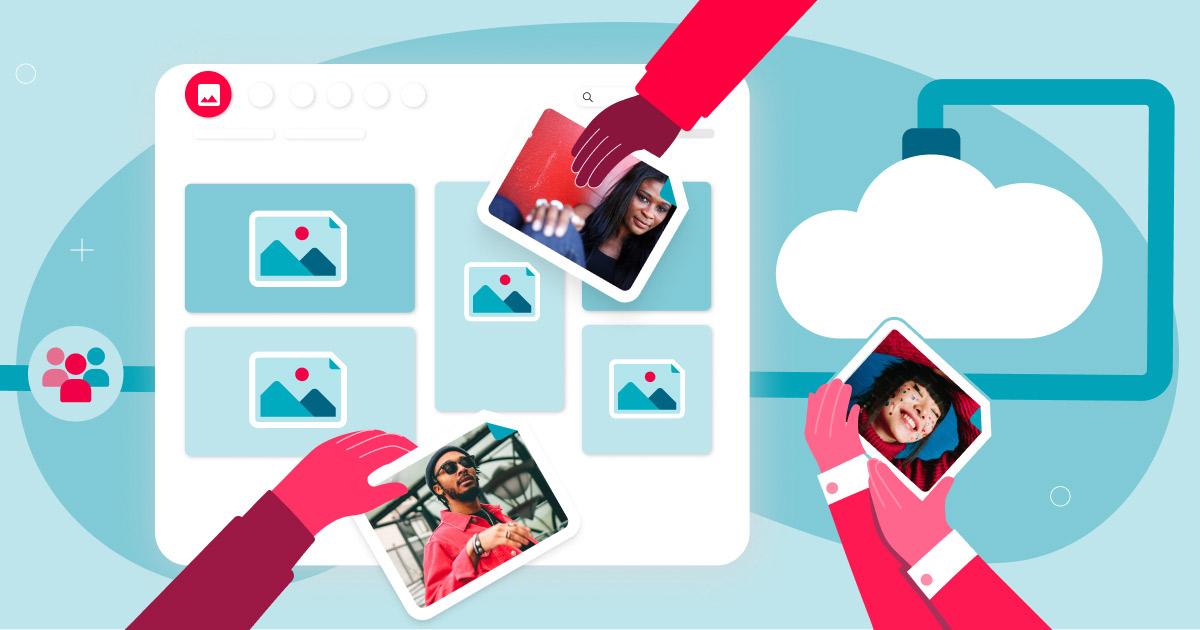
Image library software is a platform that stores and organizes collections of visual media. Many image libraries also store information about each file — like usage rights, metadata, and keywords. Companies use image library software to manage and distribute visual assets, collect data insights, and optimize workflows.
Photo organizing software helps users manage and retrieve their digital photo libraries efficiently as collections grow. Many solutions offer features such as tagging, rating, and categorizing images to enhance image organization and streamline workflows for users at all levels.

Image library defined
An image library serves as a centralized hub where users can store, organize, and manage their digital photos and videos. With the sheer volume of digital media generated every day, effective image management has become essential for both individuals and businesses. A well-structured image library ensures easy access to your visual content, allowing you to quickly find, retrieve, and share images whenever needed. The best photo organizing software streamlines this process, making it simple to organize photos, create albums, and manage your entire collection of digital photos and videos. If you’re managing a vast collection of creative assets for your business, a robust image library system is key to maintaining organization and maximizing the value of your images.
What are the different types of image library software?
There are two types of image library software: personal and business.
The term “image library software” covers a wide range of uses — from the photo reel app on your smartphone or tablet to sophisticated tools that help brands manage the visual assets they rely on for e-commerce and marketing.
Many image library management solutions are designed to efficiently organize and manage large photo libraries with over 100,000 images.
Image library software for personal use
You may already be familiar with photo library software for personal use. Designed for ease of use, solutions like Google Photos and Apple Photos provide intuitive interfaces, basic editing features, and convenient cloud storage options for beginners. Many of these solutions are also designed for casual photographers, making them accessible to hobbyists.
For more serious hobby photographers who want more control over organizing and editing their photos, there are more advanced options like Adobe Lightroom. Some photo organizing software includes facial recognition technology to help users tag and organize images of specific people, making it easier to manage photos. So, whether you’re simply looking to streamline your personal photo collection or take your hobby to new heights, there’s a type of personal photo software out there that can meet your needs.
Image library software for businesses and organizations
The best photo management software for in-house creative teams, fast-moving marketing teams, and growing brands is a digital asset management (DAM) platform, a type of photo management software designed for secure, large-scale use. A digital asset management platform stores, organizes, searches, manages, and distributes your brand’s digital assets. DAM platforms help businesses manage large collections efficiently. They are typically also set up to handle other types of digital assets, like videos, logos, and documents, which raises important considerations when comparing DAM vs. MAM systems for media-heavy teams.
Digital asset management benefits include:
- Accelerating content creation by enabling brands to produce on-brand content at scale.
- Generating more revenue and increasing content value by enabling organizations to leverage their visual content more effectively.
- Publishing images at scale across e-commerce platforms, websites, and social media.
- Facilitating easy sharing and distribution of images, both internally and with external contacts, making them accessible to other users within and outside the organization.
What does image library software do?
Image library software stores, organizes, manages, and facilitates the search and distribution of digital visual assets such as photos and videos.
A dedicated image library enables more efficient workflows at every stage of the digital content lifecycle, creating productivity gains that ripple across an organization, especially when you use artificial intelligence (AI) powered tools to organize digital photos.
Create content efficiently and consistently
Ingesting images into the library is fast and easy, often facilitated by file transfer protocol (FTP) transfers directly from cameras or other devices; just ensure your tool handles secure file transfer via SFTP. Integration with popular creative tools like Canva and Adobe Creative Cloud empowers creatives to dive straight into editing, speeding up the transition to proofing. Some image library platforms also offer built-in template capabilities, enabling users to work with editable Adobe InDesign files that feature locked brand elements. This setup accelerates the creation, localization, adaptation, and validation processes while maintaining brand consistency. Additionally, integrations with project management and marketing automation tools ensure that relevant files are always accessible and organized for efficient workflows. Finally, basic editing tools such as crop, rotate, and resize are provided in the system.
Collaborate across teams and projects
Image library software serves as a single source of truth for creative and marketing teams, centralizing assets to streamline collaboration and maintain consistency. Advanced platforms, such as digital asset management (DAM) systems, often incorporate online proofing and approval workflows directly within the library. This integration facilitates faster production cycles and improved alignment among team members by enabling real-time feedback, version control, and approval processes without leaving the platform.
Share, publish, and control images easily
Quality photo management software enables businesses to easily share and distribute images — both internally and with external contacts like distributors or marketing partners. Specifically, DAM software includes features such as brand portals that give different audiences on-demand access to custom-curated content collections while ensuring that only authorized users can access the other images in your collection. Digital asset management platforms also allow businesses to share and publish images at scale across e-commerce platforms, websites, and social media. Users can often share their organized images directly to social media platforms from within photo organizing software, making it easier to distribute content efficiently. Image library software can also help with brand governance and track licensed content across channels, which are necessary to meet regulatory and copyright compliance requirements.
Organizing with AI tools
Reliable, easy-to-use image storage is a must-have for any business that relies on visual content for marketing collateral and e-commerce. Image library management software makes it easy to organize and find digital assets, such as product photos and brand visuals. AI-powered tools can automatically tag images by context (colors, objects), simplifying organization and improving workflow efficiency. Users can also benefit from facial recognition technology, which automatically detects and tags faces in photos, making it easier to tag faces and organize images of specific people.
Many photo organizing programs offer batch processing capabilities to apply edits or tags to multiple images at once. Controlled vocabularies in tagging ensure consistent search results and avoid fragmented information.
Advanced search capabilities enable teams to quickly locate specific images
Advanced search features, such as AI face recognition, natural language queries, and AI-powered search, utilize AI to quickly find media based on visual cues, even if you didn’t add keywords or other metadata during the import process. AI-assisted culling tools can help select the best photos based on visual similarity and quality, while AI-driven metadata enrichment can automatically enhance images with detailed information for better organization. Organizing images using albums, tags, and labels can enhance the management of large photo collections, and applying labels to photos can help streamline the organization process. According to Canto’s State of Digital Content Report, only 39% of content teams currently report high confidence in their metadata accuracy, meaning most organizations have significant room to improve.
Analyze and optimize visual content
By delving into image usage reporting data from their digital asset management platform, businesses can pinpoint the most-used images and allocate resources accordingly. This insightful analysis ensures that the visual content strategy remains effective and aligns with business goals. DAM platforms enable administrators to track which users download which images for compliance and auditing purposes, reducing the risk of misuse.
Archive and preserve digital assets efficiently
Marketing collateral can become outdated quickly. Centralized image database software simplifies archiving old collateral, ensuring that only up-to-date content is visible and accessible. Key features for easy archiving include expiration dates and approval statuses.
What is the best photo organizing software?
Choosing the best photo organizing software depends on your specific needs, with Canto DAM and ACDSee Photo Studio as top choices for their intuitive interfaces and AI tools.
| Software | Type | Features | Target users | Licensing model | Strengths |
|---|---|---|---|---|---|
| Canto DAM | Digital asset management (DAM) software | Centralized asset storage, AI tagging, AI-assisted metadata, visual search, hybrid search, facial recognition, collaboration tools, Digital Rights Management, Portals | Medium to large businesses | Subscription | AI-powered DAM for managing media at scale |
| Adobe Lightroom Classic | Photo organizing & editing | Smart collections, advanced search, raw file support, editing tools, multiple collections | Professional photographers | Subscription | Comprehensive editing and organizing workflow |
| ACDSee Photo Studio | Photo organizing & editing | User-friendly UI, advanced search, facial recognition, batch processing | Casual to pro photographers | Perpetual license | Ease of use with powerful search and tagging |
| Excire Foto 2025 | Photo organizer (AI-powered) | AI keywording, facial recognition, prompt search, duplicate detection, video support | Photographers with large libraries | Perpetual license | Fast AI-powered organization and search |
| ON1 Photo RAW | Photo organizer & editing | AI keywording, editing tools, smart organize, budget-friendly | Hobbyists and budget-conscious pros | Subscription or Perpetual | All-in-one editing and organizing |
| Adobe Bridge | Photo organizer | Basic organizational tools, metadata viewing, direct folder browsing | Adobe users and beginners | Free with Adobe CC | Free, integrates well with the Adobe ecosystem |
| Capture One Pro | Photo organizer & editing | Session-based workflow, tethering, advanced export, raw processing | Professional photographers | Subscription or Perpetual | Superior raw processing and tethered shooting |
Adobe Lightroom Classic is a favorite among professional photographers, offering powerful image management features such as smart collections, advanced search capabilities, and an easy import process for handling raw files. Its editing tools and ability to create multiple collections make it ideal for those managing large volumes of images.
For those seeking a more approachable solution, ACDSee Photo Studio offers a user-friendly interface, advanced search features, and facial recognition, making it easy to organize and find photos with just a few clicks.
Beyond the most popular choices, there are several alternative image management options that cater to different preferences and needs. ON1 Photo RAW stands out with its comprehensive editing features and AI-powered keywording, offering photographers a one-stop shop for both image management and creative editing.
Excire Foto is another strong contender, offering advanced image management features such as facial recognition and automatic tagging to streamline the organization of large photo libraries.
For those seeking a free, straightforward solution, Adobe Bridge provides easy access to photos and videos, along with basic editing tools to help manage your digital assets.
For high-velocity and mid-market organizations scaling production, Canto DAM is the obvious choice, paired with its industry-leading AI technologies, such as Canto AI Library Assistant to organize your library and Canto AI Visual Search to scan and retrieve media at scale.
When evaluating photo organizing software, consider factors like compatibility with raw files, the depth of image management features, and how easily you can create and manage collections to suit your workflow. Each of these tools brings unique strengths, making them suitable for photographers who want efficient access, robust organization, and powerful editing capabilities in their image management workflow.
When does your business need image library software?
Investing in image library software may be beneficial for any brand with a large collection of photographs, graphics, and other visual assets.
Businesses with large collections often store images on hard drives or external hard drives, so effective image library software helps organize, categorize, and retrieve photos efficiently from multiple storage devices. It’s especially useful for businesses that want to create and publish more content, roll out products and marketing campaigns faster, or improve marketing ROI.

Is image library software worth the investment?
For most businesses, image library software is worth the investment. Images and other types of digital content are called “digital assets” because they have financial value. You invest money to create them, and you use them to generate revenue. A good image library platform increases ROI on those investments, creating more value per dollar invested.
Some image library software solutions offer a perpetual license option, allowing users to purchase the software outright rather than subscribe, which can be a cost-effective investment.
Create more content and leverage it more strategically
Most teams would benefit from more marketing collateral, but don’t have the budget to add additional team members to create it. Image library software enables faster workflows, so you can increase creative output without adding new team members or spending more on agencies. Image library software also makes it easier to organize and leverage group photos, ensuring that important team or event images are accessible for marketing and internal communications. A centralized, searchable image library enables more effective use of each piece of content. When impactful brand assets are easy to find, people are more likely to use and share them — amplifying their reach and impact.
Go to market faster with more targeted campaigns
Targeted campaigns are powerful for winning customers, but tailoring creative assets is resource-intensive, causing delays that slow campaign launches. Efficient image selection within image library software helps teams quickly find and choose the right visuals for targeted campaigns. Additionally, DAM software can extract text from documents and generate captions for videos across multiple languages, helping with localization and targeting. Brand template technologies ensure marketing collateral using images stays on-brand. This accelerates campaign launches, ensuring the right messaging and visuals resonate with your customers.
Focus more on high-value work
On many teams, daily challenges in organizing, locating, and sharing digital content divert focus from strategic tasks. Common issues include scattered content, difficulty in finding necessary files, repetitive manual tasks, and jumping between tools that don’t work together. Image library management software helps teams efficiently manage video and image files, enabling them to focus on higher-value tasks such as planning campaigns, creating content, and exploring innovative ways to engage with customers.
Minimize risk to your business with Digital Rights Management
Misuse of copyrighted or licensed materials can lead to severe liability, including fines and lawsuits, which is why having a dedicated digital asset manager is so important. Image library software equipped with Digital Rights Management (DRM) stores digital rights information with each asset, including terms and conditions. DRM tools can even include watermarks to protect the way sensitive assets are used. That way, everyone using your content can do so confidently, secure in the knowledge that all the necessary rights and permissions are in place. When rights expire, you can set automatic dates to remove them from your library.
Build a valuable brand
Organizations looking to build a powerful brand need tools to manage it at scale across channels and teams. Image library software enables creatives and marketers to align and establish a strong visual brand identity across all marketing channels. Image library software, like DAM software, consolidates all digital and brand assets into a single centralized library, ensuring teams consistently use approved files. Additionally, DAM serves as the central repository for style guides, empowering teams to maintain brand standards when selecting and using images from the library. By curating a collection of high-quality, on-brand visuals, you can elevate your brand image and leave a lasting impression on your audience.
New and emerging image library software trends
Recent years have seen a major shift in image management, with cloud-based DAM solutions becoming increasingly popular. These platforms offer users intuitive access to their photos and videos, making it simple to create, collaborate, organize, find, and share visual content across multiple locations. AI digital asset management is also transforming the landscape, with capabilities such as AI categorization, AI-powered search, visual search, automatic workflows and publishing, and AI analytics now available. These advancements not only save time but also enhance the accuracy and efficiency of organizing large image collections. As technology continues to evolve, users can expect even more innovative features and tools designed to make image management smarter, faster, and more intuitive.
Image management best practices
To keep your image library organized and efficient, follow these digital asset management best practices:
- Establish a logical folder structure that reflects how you want to access your digital photos and videos.
- Use image tagging and keywords to categorize images, making it easier to find photos later using search or smart collections.
- Consistent naming conventions enhance search effectiveness by providing a detailed format for file names.
- Regularly back up your entire photo library to protect against data loss.
- Use built-in, self-service editing features that allow end users to enhance and refine your images.
- Group similar photos with smart collections to quickly locate and manage related images, whether you’re a professional photographer or creative team member.
- Implement these image management strategies consistently to ensure your photo library remains accessible, organized, and ready for any creative or professional project.
Canto makes image management easy
Canto enhances image library management with an industry-leading digital asset management (DAM) platform backed by over 30 years of experience. Canto DAM is intuitive for anyone to use, with intelligence integrated into the workspace, driving productivity for teams across the creative workflow. Designed to make image and video management a breeze, Canto empowers businesses to effortlessly centralize, organize, find, and share their digital assets. By simplifying workflows and enabling quick access to creative assets, Canto empowers photographers, creatives, and marketers across industries to maximize the value and impact of their visual content.
Image library management frequently asked questions
What is the difference between cloud-based and on-premises image library software?
Cloud-based image library software stores your images and metadata on remote servers accessible via the internet, enabling access from multiple devices and locations. On-premises software stores data locally on your computer or company servers, offering greater control over security and data privacy but less flexibility for remote access.
How does facial recognition in image library software protect user privacy?
Most image library software with facial recognition includes privacy controls, such as opt-in features, data encryption, and restricted access permissions, to ensure that facial data is handled securely and used only for intended organizational purposes.
Can image library software handle video files as well as photos?
Yes, many modern image library software solutions, such as digital asset management software like Canto, support both photos and videos, allowing users to organize, tag, and search across multiple media types within a single platform.
What file formats do image library software typically support?
Image library software usually supports a wide range of file formats, including JPEG, PNG, TIFF, and RAW files from various camera manufacturers, as well as common video formats like MP4 and MOV. Compatibility depends on the specific software.
How does AI-powered tagging improve image organization?
AI-powered tagging automatically analyzes images to generate contextual tags, drastically reducing manual tagging effort and improving search accuracy and speed within large photo libraries.
Is it possible to integrate image library software with other creative tools?
Yes, many image library platforms offer integrations with popular creative and project management tools such as Adobe Photoshop, Canva, and various content management systems to streamline workflows.
How do image library systems handle version control?
Version control features allow users to save multiple versions of an image or asset, track changes, clearly label edits, and archive older versions, ensuring that the most current and approved files are used while maintaining a history of edits.
What security measures are typically included in image library software?
Security features often include user permissions and role-based access, data encryption, secure login protocols, audit trails, and compliance with industry standards to protect sensitive or restricted digital assets.
Can image library software assist with Digital Rights Management (DRM)?
Yes, many platforms embed usage rights and licensing information in image metadata, helping users comply with copyright restrictions and preventing unauthorized use of digital assets.
How scalable is image library software for growing businesses?
Most professional image libraries and digital asset management platforms are designed to scale, supporting growing collections from thousands to millions of files, multiple users, and increasingly complex organizational needs without performance loss.