Glossary
Digital asset management (DAM): The complete guide
What is digital asset management?
Digital asset management (DAM) is the practice of storing, organizing, finding, and distributing a company’s digital files, including images, videos, documents, and brand assets, from a single, intelligent, permission-controlled system.
Managing digital assets effectively requires more than storage. It requires a system that organizes, governs, and surfaces the right content at the right time. Whether you’re managing digital assets across a single team or a global network of partners, a DAM platform gives you the structure and controls to do it at scale.
DAM is practiced by marketing, creative, and brand teams that manage high volumes of content across campaigns, channels, and distribution partners. The digital assets governed span photographs, video files, audio recordings, design source files, brand guidelines, templates, fonts, presentations, and any other file with organizational or commercial value.
The outcome of well-implemented digital asset management is a single source of truth for all brand content, improving workflows, content ROI, brand consistency, and team productivity. Digital asset management is not the same as cloud storage, which does not have robust AI for content management, approval workflows, or rights management capabilities.
Every organization that creates or uses digital content accumulates files: brand logos, product photography, marketing collateral, video content, design files, and more. Without a structured system to manage these files, teams waste hours searching for assets, distribute outdated versions, and struggle to maintain brand consistency across every channel they publish to.
Digital asset management solves this by centralizing the storage, organization, and distribution of every digital file an organization owns. A well-implemented DAM system becomes the single source of truth for all brand content, ensuring everyone works from the right version, every time, with full visibility into who has access to what.
Digital asset management encompasses both a workflow discipline — how you tag, organize, and govern assets — and the technology that enables it at scale. These two elements work together: A DAM system without disciplined metadata and governance underperforms, and a rigorous tagging workflow without a purpose-built AI DAM platform quickly hits limitations.
Note: DAM software, DAM platform, DAM system, DAM tools, and DAM solutions are used interchangeably industry-wide. See What are digital assets? and What are brand assets? for a definition of the assets.
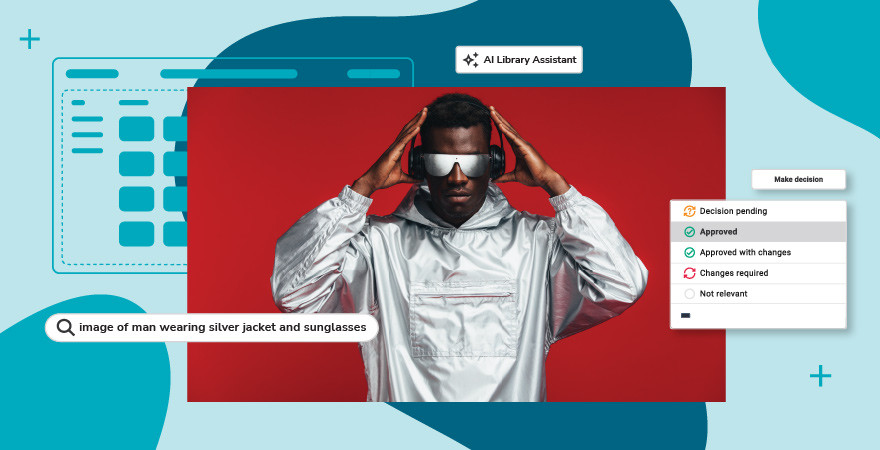
How DAM software puts the practice into action
The “system” side of digital asset management is DAM software: the platform that makes the practice above systematic and scalable across a growing content library. It provides a central library where teams can upload, tag, organize, search, preview, share, and distribute any type of digital file, with governance controls over who can access which assets, in what context, and under what usage terms.
Unlike general-purpose file storage, DAM software is purpose-built for content-heavy workflows. It understands what a digital asset is: its format, licensing status, metadata, version history, file relationships, and intended downstream uses. That intelligence is surfaced to the people who need it, when they need it, through a searchable, organized interface.
Who needs DAM software?
Any organization that creates, stores, or distributes large volumes of branded digital content benefits from digital asset management software. Common profiles include:
- Organizations with a dedicated digital asset manager role overseeing library governance, metadata standards, and content distribution workflows
- Marketing and creative teams managing brand libraries across multiple campaigns, channels, and regions
- Organizations with large photography, design asset, or video libraries requiring organized, governed retrieval
- Companies managing global brand consistency across offices, franchises, or partner networks
- Teams that need curated libraries to regularly distribute assets to external stakeholders: agencies, retailers, resellers, or press
- Organizations with compliance or Digital Rights Management obligations for licensed or regulated content
The tipping point for most teams is volume and friction: When finding the right file takes longer than creating a new one, or when the same asset exists in six versions across four different drives, a dedicated DAM system becomes a business necessity rather than a nice-to-have.
Note: For related software categories, see “Marketing resource management.”
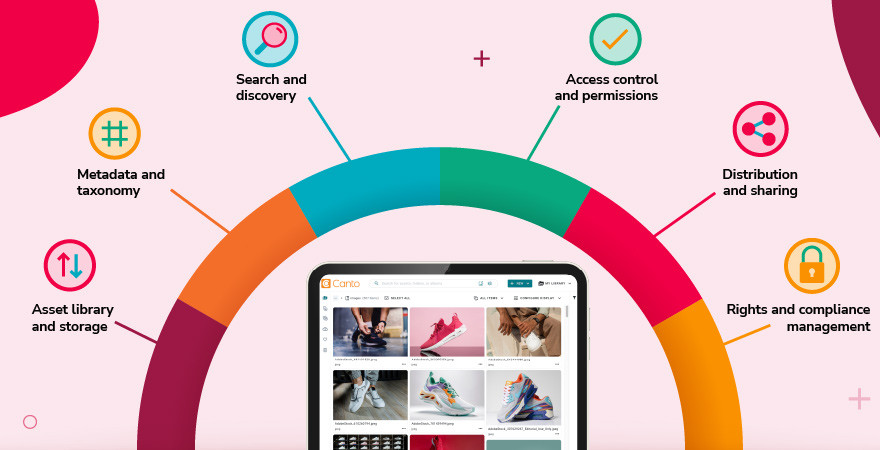
Core DAM features and capabilities
Modern DAM software covers the full content lifecycle of a digital asset: from initial ingestion through organization, discovery, distribution, and governance. Here are the core capability areas to expect from any enterprise-grade DAM platform. AI capabilities within DAM, including auto-tagging, face recognition, and intelligent content recognition, are covered in depth on the AI digital asset management glossary page.
Asset library and storage
Digital asset management centralizes digital content management access for on-site, hybrid, and remote teams of all organization sizes in a permissions-controlled library.
- Centralized repository supporting all major digital file types: images, video, audio, documents, brand files, fonts, and design source files (for video-intensive operations, see Video asset management)
- Native preview rendering for all supported formats, without requiring the originating application
- Full version control of version history, rollback capability, and configurable approval workflows
- High-availability and scalable cloud storage with configurable data residency options for enterprise deployments
Metadata and taxonomy
Digital asset management organizes libraries using AI-based technologies, reducing metadata management.
- Customizable metadata schema: create, edit, and enforce metadata fields specific to your asset types and workflow
- Controlled vocabularies and taxonomy hierarchies to standardize tagging across teams
- Bulk metadata editing and automated metadata inheritance from folder structure or upload rules
- IPTC, XMP, and EXIF metadata extraction and write-back for image and video files
Search and discovery
Digital asset management makes any asset findable in seconds through AI-powered search and metadata filtering, eliminating search time and improving content ROI.
- Full-text and metadata-driven search across all asset fields simultaneously
- AI-powered visual search: find assets by visual similarity or image content without relying on text tags
- Faceted filtering by file type, date range, usage rights, custom metadata, and collections
- Saved search and smart album functionality for frequently used queries
Access control and permissions
Digital asset management enforces the right level of access for every user (internal or external) so assets are only available to those authorized to use them.
- Role-based permissions architecture: define view, download, share, and edit rights by user group
- Dynamic video and image watermarking for assets not yet cleared for public use or licensed download
- Asset expiration controls: schedule assets to become inaccessible after licensing or campaign end dates
- Guest portal access for external partners and agencies without requiring full user accounts
Distribution and sharing
Digital asset management eliminates distribution bottlenecks by connecting assets directly to the channels, tools, and people that need them.
- Shareable link generation with configurable expiry dates, download permissions, and asset tracking
- Brand portal capabilities for press rooms, partner asset portals, and retailer asset kits
- DAM and CDN delivery for fast, globally distributed assets
- Integrations with Adobe Creative Cloud, Canva, major CMS platforms, and marketing technology stacks
- API access for custom integrations and automated asset pipeline workflows
Rights and compliance management
Digital asset management reduces legal and compliance risk by keeping usage rights, licensing terms, and access activity visible and enforceable across the organization.
- Rights and licensing field support: track usage terms, license expiry, and territorial restrictions per asset
- Usage expiration notifications to prevent accidental distribution of expired licensed content
- Full audit trails for asset access, downloads, and sharing activity
- GDPR and compliance-friendly access controls and data handling configurations
Note: For adjacent software categories, see “What is PIM?” (product information management) and Media asset management. For comparisons to DAM, see “PIM vs. DAM” and “DAM vs. MAM.”
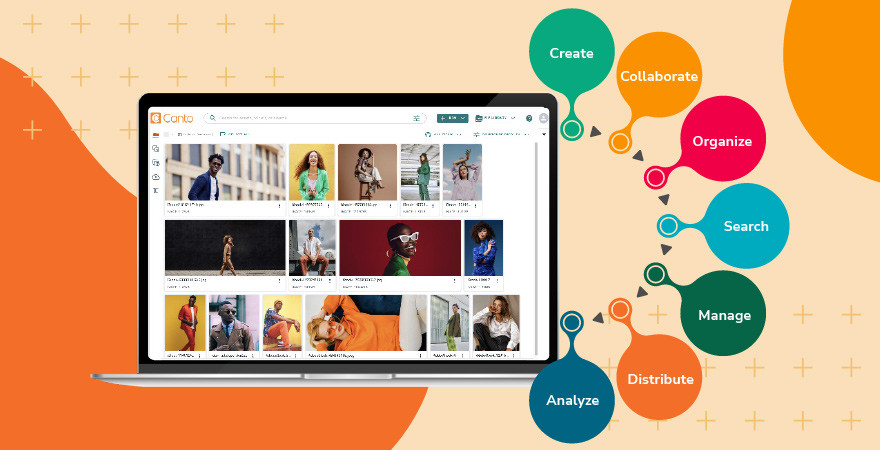
How does digital asset management work?
Implementing and operating a DAM system follows a five-stage lifecycle. Each stage builds on the last; the quality of execution at earlier stages directly determines how useful the system is downstream.
Stage 1: Ingest
Assets are uploaded to the DAM from existing storage locations: local drives, legacy file servers, cloud storage platforms, creative applications, or third-party systems. Most DAM platforms support bulk ingestion via drag-and-drop, file transfer protocol (FTP) or SFTP import, and API-connected pipelines. Planning the ingest scope, which files move into the DAM and which remain elsewhere, is one of the most important decisions in a DAM rollout.
Outcome: A centralized brand library
Stage 2: Organize
Once ingested, managing digital assets means structuring them for discovery. Uploaded assets are organized using a combination of folders, collections, and metadata. This stage includes metadata taxonomy design: establishing the naming conventions, folder structure and hierarchy, controlled vocabulary lists, and metadata schema that will govern how assets are tagged and found. Well-designed taxonomy is foundational, as it determines how discoverable and usable the library will be for every user, long-term. Rushed taxonomy decisions create technical debt that is expensive to unwind.
Outcome: An organized brand library
Stage 3: Enrich
Assets are tagged with descriptive, structural, and administrative metadata types. In modern DAM systems, AI accelerates this process considerably: auto-tagging analyzes image and video content to generate relevant keyword tags; transcription tools convert audio and video dialogue to searchable text; AI face recognition identifies named individuals across large photo libraries; text recognition (known as optical character recognition) extracts text from documents and PDFs. Platforms like Canto take this further with AI-assisted metadata recommendations and intelligent categorization that learns from your existing library structure, reducing manual effort without sacrificing organizational consistency. Human review remains important for brand-sensitive accuracy, particularly for hero assets and licensed content.
Outcome: A metadata-rich brand library
Stage 4: Retrieve
One of the primary purchase drivers for DAM software is efficient search and retrieval. Teams search for and locate assets using keyword search, metadata filters, and curated collections, but modern DAM platforms have moved well beyond requiring users to know the right tag or taxonomy term. Canto includes hybrid search (includes both visual context and metadata at one time) and AI-powered visual search, meaning teams can find the right content based on what an asset looks like or what they’re trying to accomplish, not just how it was labeled. The result is faster, more confident retrieval for everyone, regardless of their familiarity with the library’s structure.
Outcome: A searchable brand library
Stage 5: Distribute
Assets are shared externally or published to downstream systems: websites, CMS platforms, marketing automation tools, print production workflows, social channels, or partner portals. But distribution is where governance becomes critical, and where a well-structured digital asset management workflow pays off most visibly. DAM software manages permissions, tracks distribution activity, and ensures only approved, current versions of assets are shared outside the organization, consolidating organizational, brand management, content, and compliance controls into a single governed platform rather than scattered across email threads or shared drives. Expiration controls automatically retire assets that are no longer licensed or approved for use, reducing legal and brand risk without requiring manual oversight.
Outcome: A governed content workflow.
For a complete guide to planning your DAM deployment, see Canto’s guide on Digital asset management implementation.
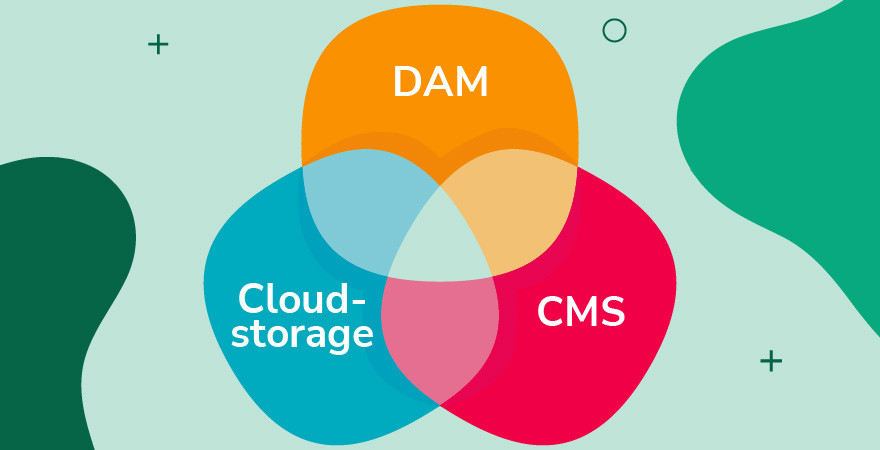
DAM vs. cloud storage vs. CMS: What’s the difference?
DAM software is frequently compared to general-purpose cloud storage and content management systems (CMS), two tools teams often repurpose as informal asset repositories. The table below shows how different the three platforms are.
| Feature | DAM software | Cloud storage | CMS |
|---|---|---|---|
| Primary purpose | Manage, distribute, and govern brand content at scale | Store and sync files for general use | Manage website pages, posts, and web content |
| Metadata & taxonomy | Rich, customizable metadata schema with controlled vocabularies | Basic folder/filename structure | Limited, page-focused metadata only |
| Search | AI visual search; facial, object, and text recognition; hybrid search (Canto); video search (Canto); multi-language support | Filename search only | Page/content search only |
| Asset previews | Native previews for almost any file type | Images only in most tools | Images and documents only |
| Rights management | Full license tracking, usage expiry, watermarking | None | None |
| Version control | Full version history with rollback and approval workflows | Basic file versioning | Page revision history |
| Access control | Role-based permissions with guest portals and external sharing | Folder-level sharing | User roles limited to web publishing |
| Distribution | CDN delivery, brand portals, creative & marketing integrations | Share links | Website publishing |
| Designed for | Marketing, creative, and brand content operations teams | General file storage and sync | Web editors and developers |
DAM vs. cloud storage vs. CMS at a glance
Cloud storage is designed for file sync and general sharing, not for brand assets at volume. There is no rights tracking, no metadata schema, no AI-assisted search, and no governance layer to prevent wrong versions from reaching the wrong channel.
CMS platforms manage published web content: pages, posts, and site architecture. A CMS media library is a holding area for web-published files, not a governed repository for the full asset lifecycle. They don’t manage pre-publication files, design source assets, or the broader brand content library.
A DAM fills both gaps: it manages the source files that feed into CMS publishing and other downstream channels, with the governance, metadata infrastructure, and search capability that general-purpose tools cannot provide.
For direct tool-by-tool comparisons, see DAM vs. SharePoint, DAM vs. Dropbox, DAM vs. Google Drive, and DAM vs. CMS. For a broader comparison, check out “File management.”
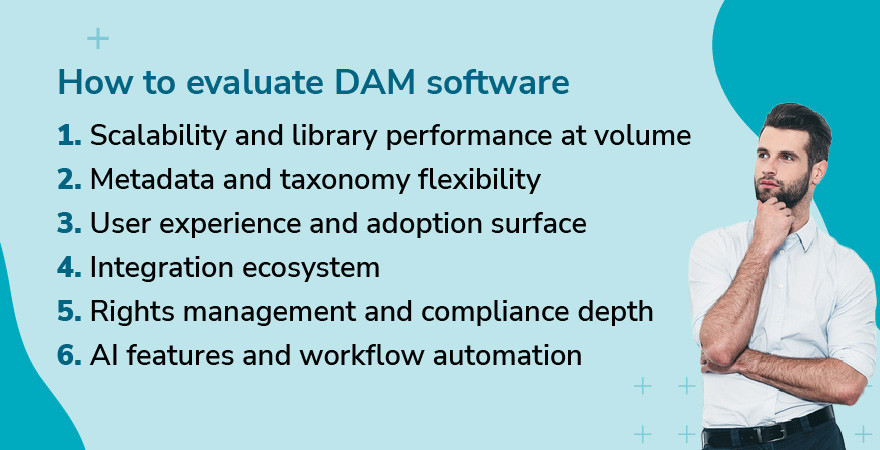
How to evaluate DAM software
Selecting a DAM platform is a significant organizational commitment. The following framework covers the most critical evaluation criteria. For a complete step-by-step decision guide, see “How to choose a digital asset management system.”
1. Scalability and library performance at volume
Confirm the platform is built to handle your current library size and your projected growth over a three- to five-year horizon. More importantly, test search and browse performance at scale: many platforms that perform well at 10,000 assets degrade significantly at 100,000 or 500,000 files. Request a demo environment with a representative data volume or ask for reference customers with comparable library sizes.
2. Metadata and taxonomy flexibility
Your DAM is only as good as the organizational structure it supports. Evaluate how easily administrators can create and modify metadata schemas, build controlled vocabularies, and enforce tagging requirements on upload. Rigid taxonomy tools become a constraint as volume and organizational complexity grow; assess both current support and the administrative effort required for future schema changes.
3. User experience and adoption surface
DAM adoption fails when the interface is too complex for casual users who need to find and download assets quickly. Evaluate ease of use for two profiles: power users (library managers, creative operations) who need configuration depth, and casual users (sales teams, regional marketers, agencies) who need frictionless retrieval. A tool that only the DAM administrator can navigate will generate workflow workarounds or creative dependencies.
4. Integration ecosystem
A DAM system that doesn’t connect to your existing tools creates new silos rather than eliminating them. The most effective DAM platforms function as a content orchestration layer: the foundational hub that activates assets across the marketing stack rather than simply storing them. Prioritize native integrations with the platforms your team uses most: Adobe Creative Cloud, Canva, your CMS, your marketing automation platform, your CDN, and your project management or workflow tools. Confirm API documentation depth and webhook support for custom integration scenarios that out-of-the-box connectors don’t cover.
5. Rights management and compliance depth
DAM software centralizes rights management and compliance controls for organizations managing licensed photography, contracted talent imagery, regulated product content, or content with territorial restrictions. Evaluate potential platforms for expiration control granularity, audit trail depth, watermarking configuration, and whether the system generates notifications before license expiry rather than after accidental distribution. Inadequate rights management in a DAM creates legal exposure that far outweighs any cost savings from choosing a cheaper platform.
6. AI features and workflow automation
Modern DAM platforms increasingly leverage AI to reduce manual tagging overhead and improve search accuracy. Beyond standard auto-tagging, evaluate newer capabilities: automated asset categorization, tag recommendations based on your existing organizational metadata, and AI jump-to-timestamp video search. When trying out AI search, speed and accuracy are the true measures of DAM value; test both under realistic conditions with your actual content volume. Also, confirm that PDF text extraction, facial recognition, and video and audio transcript generation perform reliably for your content types. AI feature quality varies substantially between DAM tools; ask for a live demonstration with a representative sample of your actual content.
Note: For direct DAM vendor comparisons, see Canto vs. Bynder, Canto vs. Brandfolder, Canto vs. MediaValet, Canto vs. Frontify, Canto vs. Air, and Canto vs. PhotoShelter.
Digital asset management in practice
The gap between evaluating DAM software and deploying it is where most teams find out what the platform is actually capable of. For doTERRA, a wellness brand with more than 350,000 independent advocates across 171 countries, that meant replacing a system where assets were scattered across drives and email threads, and requests took one to two weeks, with a intuitive library and self-serve portals where approved, on-brand content is findable in minutes.
The scale of the shift was immediate. Advocates who had been taking their own product photos because approved materials were too hard to locate suddenly had a single destination for everything they needed. Internal teams stopped fielding repetitive asset requests and started focusing on higher-value work.
“With Canto, finding assets is at least 15 times faster,” says Katie Morgan, doTERRA’s DAM Program Owner. “We’ve gone from waiting weeks to having what we need in minutes.”
See how DAM revolutionized doTERRA’s work
Enterprise digital asset management
Enterprise digital asset management (often called Enterprise DAM) refers to the deployment of digital asset management at organizational scale: large asset libraries, multiple user populations with varied permission levels, complex integration requirements, and governance frameworks that span global teams, regional offices, or multiple brand identities.
Enterprise DAM is not a separate product category; it is a capability tier within DAM software that addresses the additional complexity, security, and scalability requirements of larger organizations. Not every DAM vendor is built for enterprise-scale load, multi-brand governance, or enterprise IT security requirements.
What distinguishes enterprise-grade DAM
- Scale: handles libraries of hundreds, thousands, and even millions of assets without meaningful performance degradation in search, preview rendering, or ingestion throughput
- User management at depth: supports large, diverse user populations across departments, geographies, and external partner networks, with granular role hierarchies and delegated administration
- SSO and identity management: integrates with enterprise identity providers (Okta, Azure Active Directory, SAML 2.0, SCIM provisioning) for centralized access governance
- Multi-brand support: manages multiple brand libraries, portals, or organizational units within a single platform instance, with appropriate content separation and governance
- Advanced rights management: license tracking, usage expiration, regional rights controls, and content approval workflows configured to organizational compliance requirements
- API-first architecture and custom integrations: supports enterprise technology stacks with documented REST APIs, webhook support, and certified integration partnerships
- Enterprise security and compliance certifications: SOC 2 Type II, ISO 27001, GDPR data handling agreements, configurable data residency, and penetration testing documentation on request
- Dedicated support and SLA commitments: uptime guarantees, named account management, implementation support, and escalation paths appropriate to enterprise contractual requirements
Organizations evaluating DAM at enterprise scale should include IT security, legal, and procurement alongside marketing leadership. Security architecture, data residency, and integration design are common enterprise due diligence areas that marketing-only evaluations underweight.
Frequently asked questions about digital asset management
What is digital asset management?
Digital asset management (DAM) is the practice of organizing, storing, retrieving, and distributing a company’s digital files, images, videos, documents, brand assets, and more from a single, searchable, permission-controlled system. A DAM system serves as the authoritative source for all brand content.
What is the difference between DAM and cloud storage?
Cloud storage tools store and sync files. DAM software adds purpose-built metadata management, AI-powered search, rights and license tracking, version control, role-based permissions, and governed distribution tools. Cloud storage is designed for general file sharing; DAM is designed for managing brand content at scale, with the governance and searchability that general-purpose tools cannot provide.
What is the difference between DAM and a CMS?
A CMS (content management system) manages published web content: pages, posts, and site architecture. A DAM manages source assets, such as the images, videos, brand files, and design assets that feed into a CMS and other downstream channels. Many organizations use both in parallel: the DAM as the governed master asset library, and the CMS as the web publishing layer.
What are the core features of DAM software?
Core DAM features include: centralized asset storage for all file types, customizable metadata schema and taxonomy management, AI-powered search and auto-tagging, role-based access controls, rights management and license tracking, version control and approval workflows, brand portal and partner sharing capabilities, and integrations with creative and marketing technology platforms.
Who uses DAM software?
DAM software is used by marketing teams, creative and brand teams, content operations managers, and any organization that manages, distributes, or governs a significant library of digital brand assets. Both mid-market companies and large global enterprises use DAM software. The common requirement is content volume, brand governance, and the need for multiple stakeholders to access a shared asset library reliably.
What is enterprise digital asset management?
Enterprise DAM is DAM software deployed at organizational scale, with additional capabilities addressing large user populations, complex permission hierarchies, SSO and identity provider integration, multi-brand governance, advanced rights management, enterprise security certifications, and custom integration requirements. It is a capability tier within the DAM software category, not a separate product.
How does AI improve digital asset management?
AI capabilities in modern DAM platforms reduce manual overhead and improve discoverability across large libraries. Key applications include auto-tagging (automatically generating keyword tags from image and video content), visual search (finding assets by appearance rather than text tags), speech-to-text transcription for video and audio files, and face recognition for identifying individuals across photo libraries.
How long does DAM implementation take?
According to the Summer 2026 G2 Report for Digital Asset Management, Canto customers go live in 2.3 months, including asset migration. That’s faster than Bynder (3.5 months), MediaValet (2.9 months), and Brandfolder (2.6 months).
What does DAM software cost?
DAM software pricing varies significantly by vendor, user volume, storage capacity, and feature tier. For Canto’s current pricing, see our Pricing page. For a comparison of pricing across leading DAM platforms, check out the Best DAM software.
What is a digital asset management system?
A digital asset management system is the same thing as DAM software or a DAM platform: the terms are used interchangeably across the industry. It refers to the centralized, permission-controlled technology that stores, organizes, and distributes an organization’s digital files, as described throughout this guide.
What’s the difference between a DAM tool, platform and system?
There is no functional difference. DAM tool, DAM platform, DAM system, DAM software, and DAM solution all refer to the same category of purpose-built software for managing digital assets. The terms are used interchangeably across the industry. What matters is evaluating the capabilities, not the label.
How do you manage digital assets?
Managing digital assets starts with centralizing them in a single, permission-controlled library. From there, the process follows five stages: ingest, organize, enrich, retrieve, and distribute. A DAM system handles each stage, from bulk upload and metadata tagging through governed distribution to external partners and channels. The result is a library where every asset is findable, version-controlled, and used only within its approved scope.
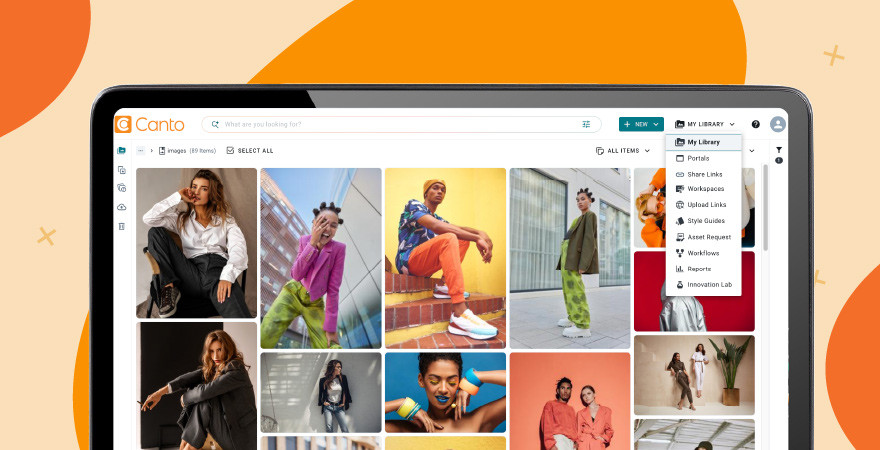
Canto: built by the DAM pioneers, ready for teams who move fast
Canto has been leading the digital asset management industry for over 30 years, helping create the category and continuing to define its future. The Canto DAM platform combines a centralized asset library with AI-powered visual, video, image, and hybrid search, AI categorization and tagging, intuitive collaboration tools, and content distribution automation, making it easy for marketing and creative teams to find the right asset and get it where it needs to go, fast. From Approval Hub and Brand Studio to Media Publisher and built-in brand governance, every product is designed to eliminate manual work, empower teams, and get more value from every piece of content you create.
Canto is built to be intuitive from day one, with implementation support that gets teams up and running quickly and a platform that scales as your content demands grow. It fits naturally into existing tech stacks, with transparent pricing and best-in-class support at every step. Your digital content is the lifeblood of your brand; Canto helps you make the most of it.
Ready to evaluate Canto?
Take a product tour or request a personalized demo to see the platform in action.

Start with Canto
Make more of your content.
Bring your assets, teams, and workflows together. See what’s possible with Canto.